Collections and environments
Collections and environments
Collections keep related requests together in folders. Environments hold variables like a base URL or an API key, so one request works against local, staging or production.
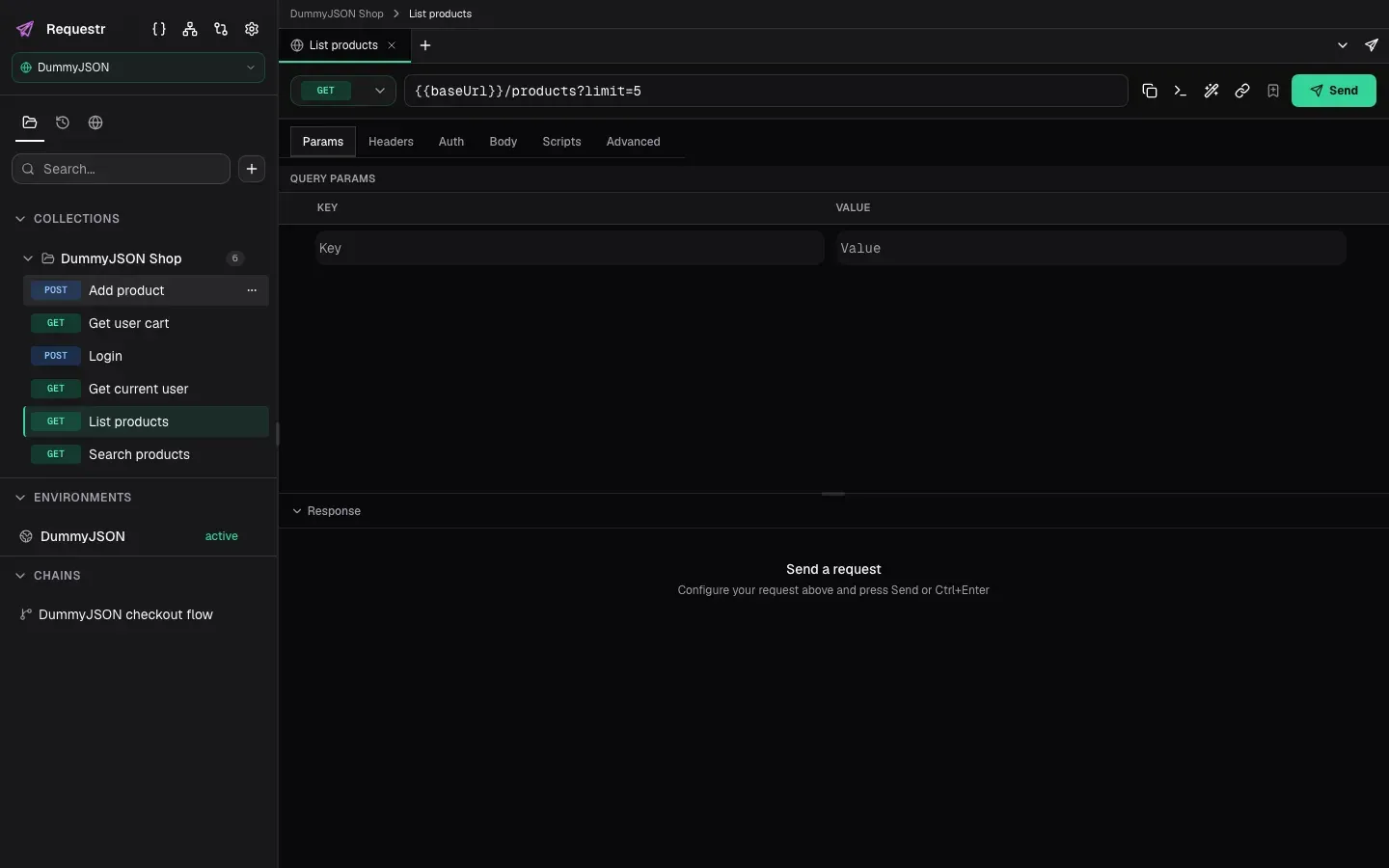
Live demo
Switch the environment.
One saved request, three environments. Pick one and watch the variables fill in.
GET Users · Local
URL
{{baseUrl}}/users?limit=20
http://localhost:4000/users?limit=20
Header
X-Api-Key: {{apiKey}}
X-Api-Key: ••••••••
Local variables
- baseUrl
- http://localhost:4000
- apiKey
- ••••••••
Variables are filled in with the same replacement the app runs.
In the app
Switch the active environment and every request picks up the new values.
Collections and environments are stored in your browser, with no account needed.
How it works
From first click to result.
- 01
Group requests
Keep related requests together in collections and folders. Drag to reorder or move them.
- 02
Write variables once
Put a base URL or an API key in an environment and use it as {{VARIABLE_NAME}} in any request.
- 03
Switch with one click
Change the active environment and every request picks up its values.
Capabilities
The details that matter.
organize: folders
Collections and folders
Nest folders, duplicate requests and move them between collections.
variable: secret
Secret values stay hidden
Mark a variable as secret and its value is masked until you choose to show it.
export: Postman v2.1
Take it with you
Export a collection in Postman v2.1 format whenever you need to share it.
storage: this browser
No account
Collections and environments are stored in your browser.
With Relay
Or ask Relay to do it.
Relay can create environments, set their variables and switch the active one, and it reads names, not secret values.
Relay tools it uses
- create_environment
- set_env_variables
- set_active_environment
Relay
- Create a staging environment with baseUrl set to https://staging.example.com
Write the request once.
Point it at local, staging or production with one click.
Free, open source, no sign-up.