Transform playground
Transform JSON with a live playground
The transform playground lets you filter and reshape JSON with JSONPath or a few lines of JavaScript. Paste a payload, write an expression and see the result straight away.
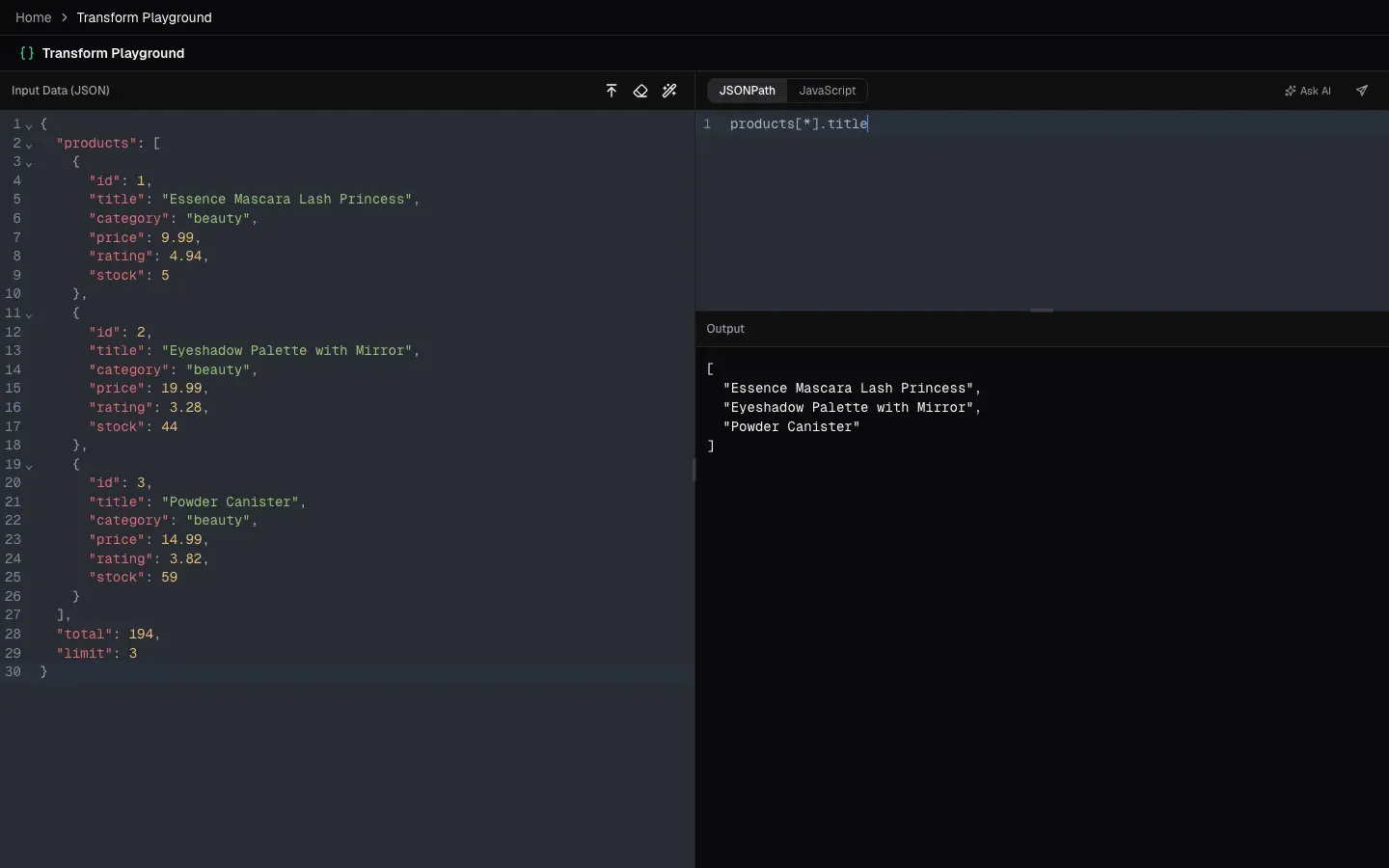
Live demo
Try an expression.
Pick an example or write your own JSONPath. The output is computed as you type, with the JSONPath engine the playground uses.
transform · JSONPath
{
  "orders": [
    {
      "id": "ord_1042",
      "customer": "Ada",
      "total": 129.5,
      "items": [
        {
          "sku": "KB-01"
        }
      ]
    },
    {
      "id": "ord_1043",
      "customer": "Linus",
      "total": 18,
      "items": [
        {
          "sku": "MS-07"
        }
      ]
    },
    {
      "id": "ord_1044",
      "customer": "Grace",
      "total": 64.25,
      "items": [
        {
          "sku": "KB-01"
        },
        {
          "sku": "CB-12"
        }
      ]
    }
  ]
}Runs in this page, on the same code the app uses.
In the app
It is handy for pulling one field out of a large response or flattening a list before you pass it on.
Everything runs in your browser, so the payload stays on your device.
How it works
From first click to result.
- 01
Bring a payload
Paste JSON into the playground, or open a response in it from the response panel.
- 02
Pick JSONPath or JavaScript
JSONPath for picking fields out, a few lines of JavaScript when the data needs reshaping.
- 03
Read the output as you type
The result updates straight away, so you can check an expression before you use it anywhere.
Capabilities
The details that matter.
mode: JSONPath | JavaScript
Two ways to shape data
Filter with a JSONPath expression, or return anything you like from a JavaScript snippet.
suggest: from your data
Path suggestions
The editor suggests JSONPath expressions built from the structure of the payload you pasted.
ask: in plain words
Describe it instead
Say what you want out of the payload and AI writes the JSONPath expression for you to check.
upload: none
Stays on your device
Expressions run in your browser, so the payload is never sent anywhere.
Shape the response before you use it.
Paste a payload and start typing. Nothing to install.
Free, open source, no sign-up.